Convert temperature and respect the absolute-zero boundary
The example100°C became212°F. Temperature conversion uses an offset as well as a scale; it is not ordinary length conversion.
Open tool: Temperature converter →What should you prepare?
- Keep the original text or file. The sample TXT describes test settings; it does not import them automatically.
- Check options before processing your content. Random outputs and browser capabilities may differ.
How do you use ToolMiko?
- Load the example and verify C to F with value100.
- Change the target to K and compare the selected units.
- For low values, check absolute zero; physically invalid inputs are rejected.
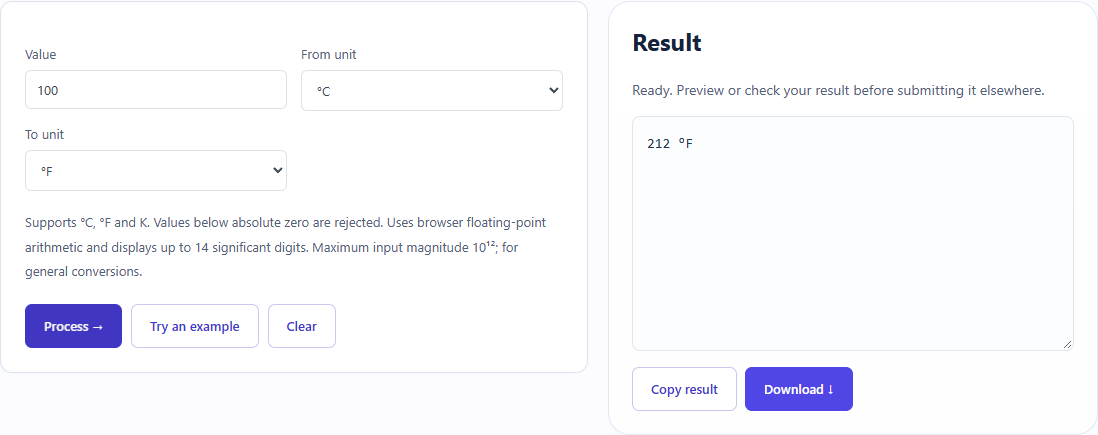
What did the sample produce?
The table and screenshot come from actual operations. TXT files are editorial check records; any additional file is a real tool export.
| Check | Observed result |
|---|---|
| Input | value=100; from=C; to=F |
| Observed result | 212 °F |
| File bytes | 7 |
These non-personal samples were generated for ToolMiko and tested in Windows Chrome on 2026-11-13. Repeat with the source files; results can differ with your files and device.
What if the result is wrong?
Why is a value below absolute zero rejected?
The tool restricts physically valid temperatures. Verify the source scale before changing the number.
Limits and file handling
Only the listed Celsius, Fahrenheit and Kelvin scales are supported. Results use browser arithmetic and display rounding; this is not a measurement calibration or uncertainty calculation.