Calculate a SHA hash and compare it with a trusted reference
Text abc without a newline produced its SHA-256 digest and matched an independent byte-based calculation. Spaces and line endings affect the result.
Open tool: SHA hash checker →What should you prepare?
- Keep the original text or file. The sample TXT describes test settings; it does not import them automatically.
- Check options before processing your content. Random outputs and browser capabilities may differ.
How do you use ToolMiko?
- Choose text and SHA-256, then enter abc exactly.
- Calculate and compare the full hexadecimal digest, not just its prefix.
- For a downloaded file, switch to file mode and use a trusted publisher’s expected digest.
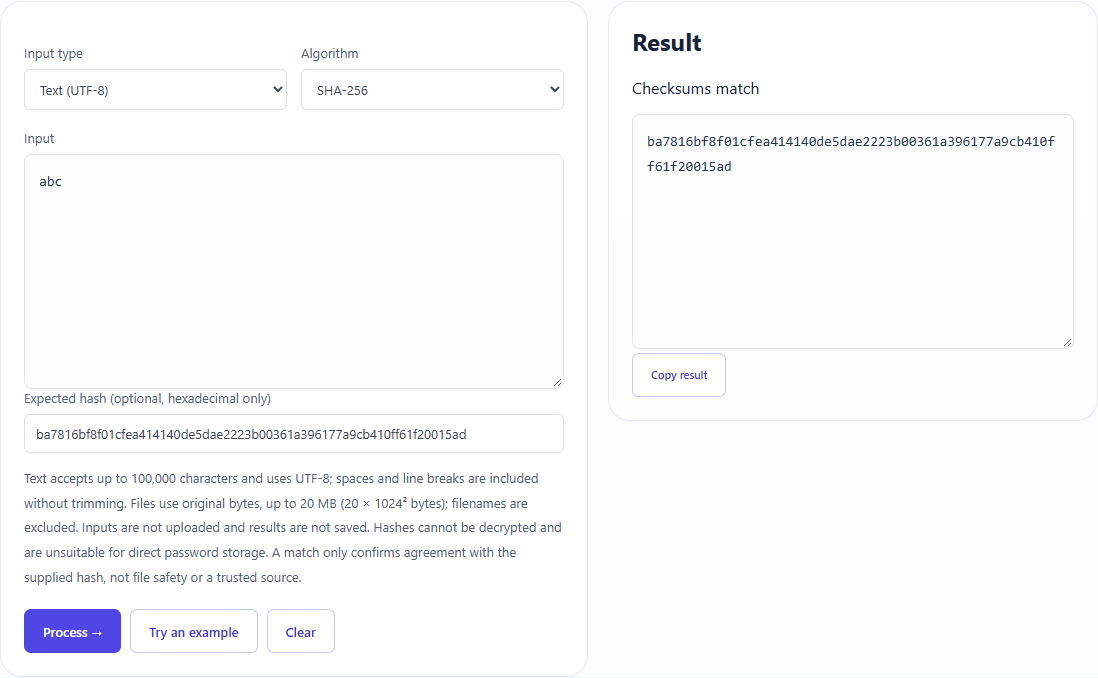
What did the sample produce?
The table and screenshot come from actual operations. TXT files are editorial check records; any additional file is a real tool export.
| Check | Observed result |
|---|---|
| Input | abc; UTF-8; SHA-256; no newline |
| Observed result | ba7816bf8f01cfea414140de5dae2223b00361a396177a9cb410ff61f20015ad |
| File bytes | 64 |
These non-personal samples were generated for ToolMiko and tested in Windows Chrome on 2026-11-13. Repeat with the source files; results can differ with your files and device.
What if the result is wrong?
Why does the hash differ?
Check algorithm, exact bytes, newline, encoding and file version. File hashing uses contents rather than the filename.
Limits and file handling
A matching hash does not prove that a file or publisher is safe. SHA hashing is not encryption or password storage. Secure-context and file-size limits apply; do not treat a public digest as a secret.