Remove PDF pages — Steps and checked example
Checked: · ToolMiko
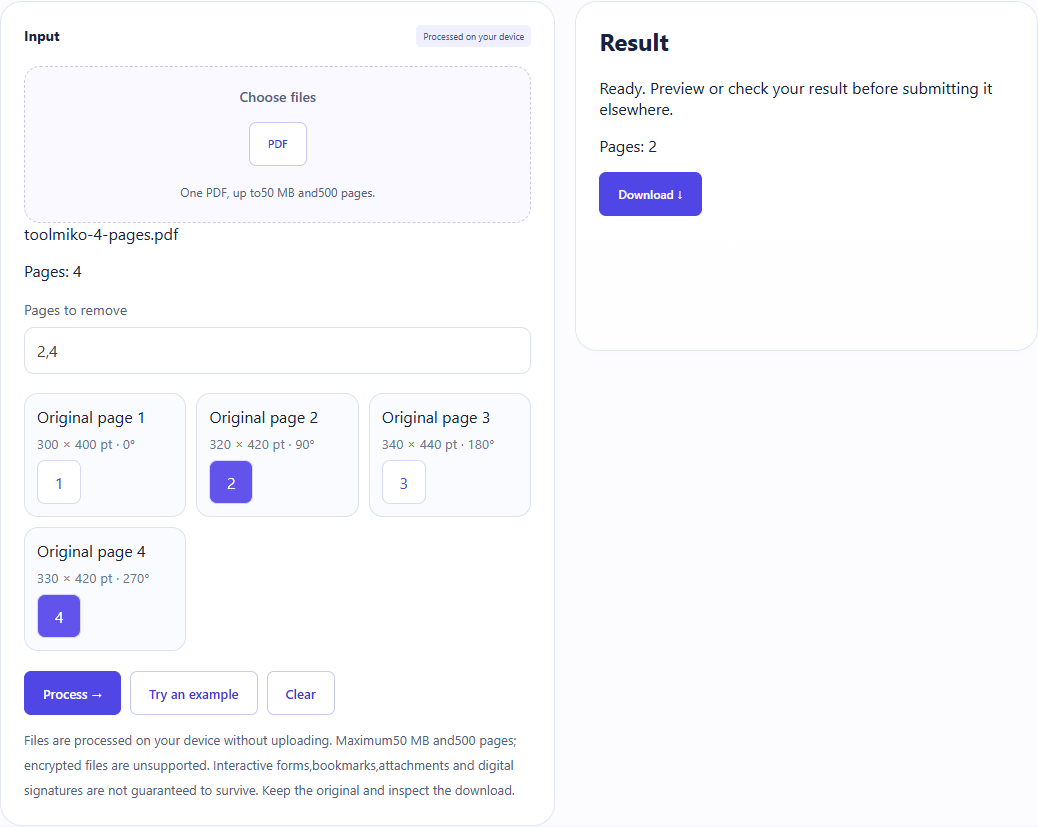
Four-page example:remove2,4 → two pages,original1 and3.
Remove PDF pages →Steps and checked example
- Choose an unencrypted PDF and wait for its page count.
- Enter pages or ranges to delete (for example 2,4), or select page buttons. Do not repeat pages or delete every page.
- Run and download a new PDF. Removing 2,4 from the four-page sample should leave original pages 1 and 3.
Generated fixture and downloaded result
The sample contains no user files. Screenshots and downloadable results come from actual use of this tool.
Limits and checks
Files are processed on your device without uploading. Maximum50 MB and500 pages; encrypted files are unsupported. Interactive forms,bookmarks,attachments and digital signatures are not guaranteed to survive. Keep the original and inspect the download.