Inspect PDF information — Steps and checked example
Checked: · ToolMiko
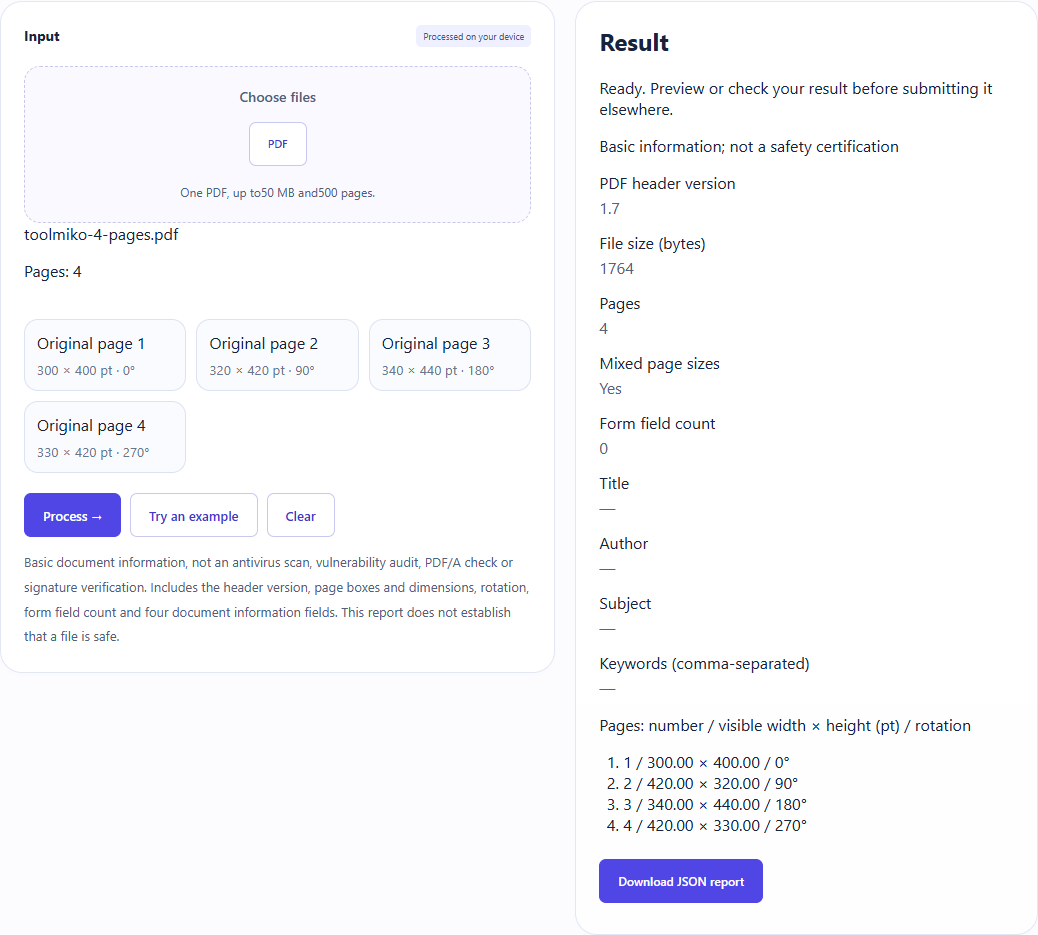
Load the four-page sample, check different page sizes and rotations of 0°,90°,180°,270°, then download the JSON report.
Inspect PDF information →Steps and checked example
- Choose an unencrypted PDF and wait for its page count.
- Run to inspect the whole document. No page selection is required.
- Review the version, file size, page sizes and rotations, form field count and document information. Download a JSON report; no new PDF is created.
Generated fixture and downloaded result
The sample contains no user files. Screenshots and downloadable results come from actual use of this tool.
Limits and checks
One PDF, up to50 MB and500 pages.
Files are processed on your device without uploading; the original PDF is not changed.
Basic document information, not an antivirus scan, vulnerability audit, PDF/A check or signature verification. Includes the header version, page boxes and dimensions, rotation, form field count and four document information fields. This report does not establish that a file is safe.