Generate passwords with the selected character rules
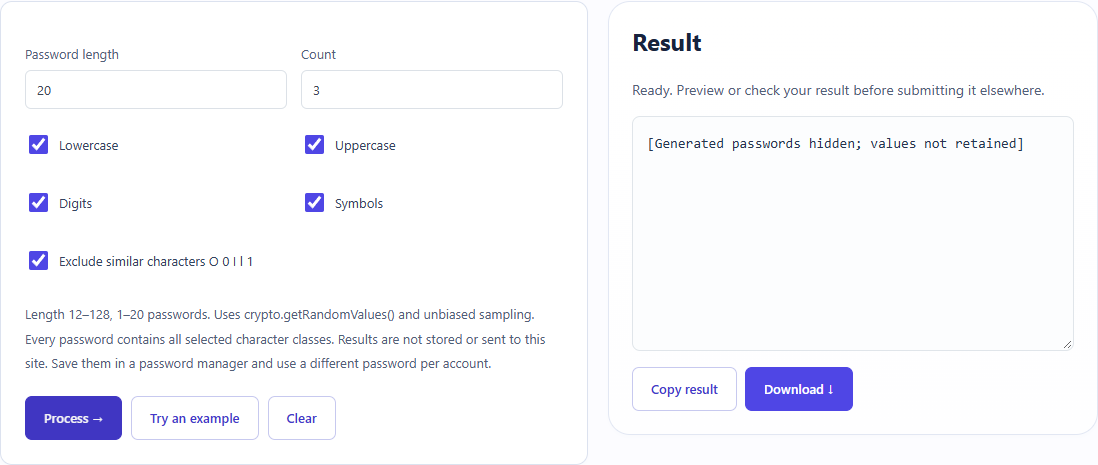
The test generated3 passwords of length20 with four character classes and similar-character exclusion. Only checks were retained; screenshot values are hidden.
Open tool: Random password generator →What should you prepare?
- Keep the original text or file. The sample TXT describes test settings; it does not import them automatically.
- Check options before processing your content. Random outputs and browser capabilities may differ.
How do you use ToolMiko?
- Choose length20, count3 and all four character classes.
- Enable exclusion of O0Il1, generate and inspect the rules.
- Save new real passwords in your password manager, then clear the page when finished.
What did the sample produce?
The table and screenshot come from actual operations. TXT files are editorial check records; any additional file is a real tool export. Generated passwords are explicitly hidden in the screenshot. Only length and rule checks were retained; do not use demo passwords.
| Check | Observed result |
|---|---|
| Input | count=3; length=20; classes=4; exclude=O0Il1 |
| Observed result | count=3; length=20; all_classes=true; similar_characters_excluded=true; passwords_not_retained |
| File bytes | 94 |
These non-personal samples were generated for ToolMiko and tested in Windows Chrome on 2026-11-13. Repeat with the source files; results can differ with your files and device.
What if the result is wrong?
Why is generation rejected?
Check the allowed length and count and select at least one character class. Some receiving sites impose additional rules.
Limits and file handling
Do not reuse tutorial or screenshot passwords. Values are browser-generated and not saved by this guide. Rule checks are not a universal strength score; use a different password for each account.