Generate an SVG QR code and check the destination before sharing
The sample public address https://toolmiko.com produced an SVG QR file. The saved vector was inspected as SVG; an independent phone scan was not performed in this run.
Open tool: QR code generator →What should you prepare?
- Keep the original text or file. The sample TXT describes test settings; it does not import them automatically.
- Check options before processing your content. Random outputs and browser capabilities may differ.
How do you use ToolMiko?
- Paste the complete public address including https://.
- Generate and download the SVG; retain a quiet border when placing it.
- Open the file and scan it with your phone to confirm the exact destination before publishing.
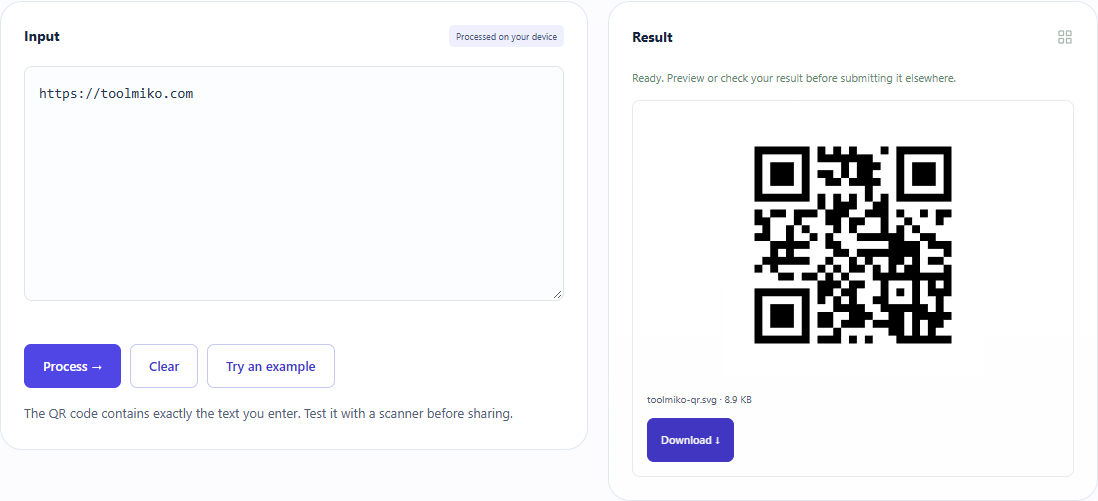
What did the sample produce?
The table and screenshot come from actual operations. TXT files are editorial check records; any additional file is a real tool export.
| Check | Observed result |
|---|---|
| Input | https://toolmiko.com |
| Observed result | SVG generated; public URL input; independent scan not performed |
| File bytes | 63 |
Download this test result: remaining-qr-code.svg →
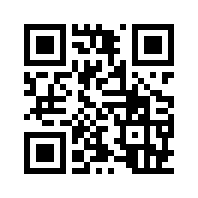
These non-personal samples were generated for ToolMiko and tested in Windows Chrome on 2026-11-13. Repeat with the source files; results can differ with your files and device.
What if the result is wrong?
The printed code does not scan
Check contrast, border, display size and exact payload. Do not assume a generated file guarantees every printed version will scan.
Limits and file handling
Input is limited by UTF-8 bytes, not just visible characters. Encoding a secret into a QR code does not hide it. No logo editing, scanning tool or scan-rate benchmark is implied.