Count AI tokens using the intended encoding
Hello, world! counted as 4 tokens with both o200k_base and cl100k_base in our local tokenizer run. Other text can produce different counts between encodings.
Open tool: AI token counter →What should you prepare?
- Keep the original text or file. The sample TXT describes test settings; it does not import them automatically.
- Check options before processing your content. Random outputs and browser capabilities may differ.
How do you use ToolMiko?
- Paste the sample or your own non-sensitive text.
- Select o200k_base, run and note the count.
- Repeat with cl100k_base; use the encoding appropriate for the system you are checking.
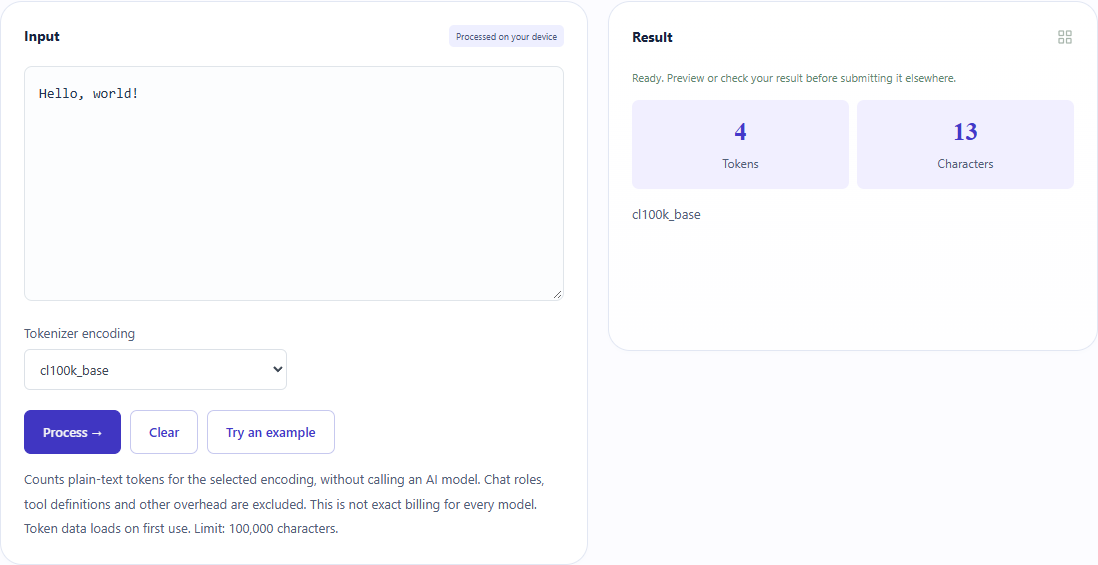
What did the sample produce?
The table and screenshot come from actual operations. TXT files are editorial check records; any additional file is a real tool export.
| Check | Observed result |
|---|---|
| Input | Hello, world! |
| Observed result | o200k_base=4; cl100k_base=4 |
| File bytes | 27 |
These non-personal samples were generated for ToolMiko and tested in Windows Chrome on 2026-11-13. Repeat with the source files; results can differ with your files and device.
What if the result is wrong?
Why does a model request use more tokens?
Messages, system instructions, tools and output can add tokens beyond this plain-text input.
Limits and file handling
This is local tokenization, not an API call, model response or billing estimator. Token counts are not word counts. A matching sample does not prove encodings behave identically on other text.